Product Buying + Technology
Signshop Management and Workflow Software
Sticky notes are no way to run a shop.

 Once the number or variation of jobs at your signshop reaches a certain level, management software becomes a must.
IF YOUR SHOP runs smoothly day after day, year after year, then congratulations: You are truly a unicorn. Issues pop up all the time for most of us. You don’t have the right media in stock. Permits are needed for an installation. The customer hasn’t approved the final design. The salesperson forgot to mention some special instructions. Well, you get it. Unless you are a one-person shop that does everything from sales to install, you know that these issues arise all the time. So what can you do to make things better?
The best approach is to institute shop management and workflow tools. This sounds like another expense (which it is), but properly configured and adhered to, these tools can alleviate most of your headaches and put an end to untimely surprises.
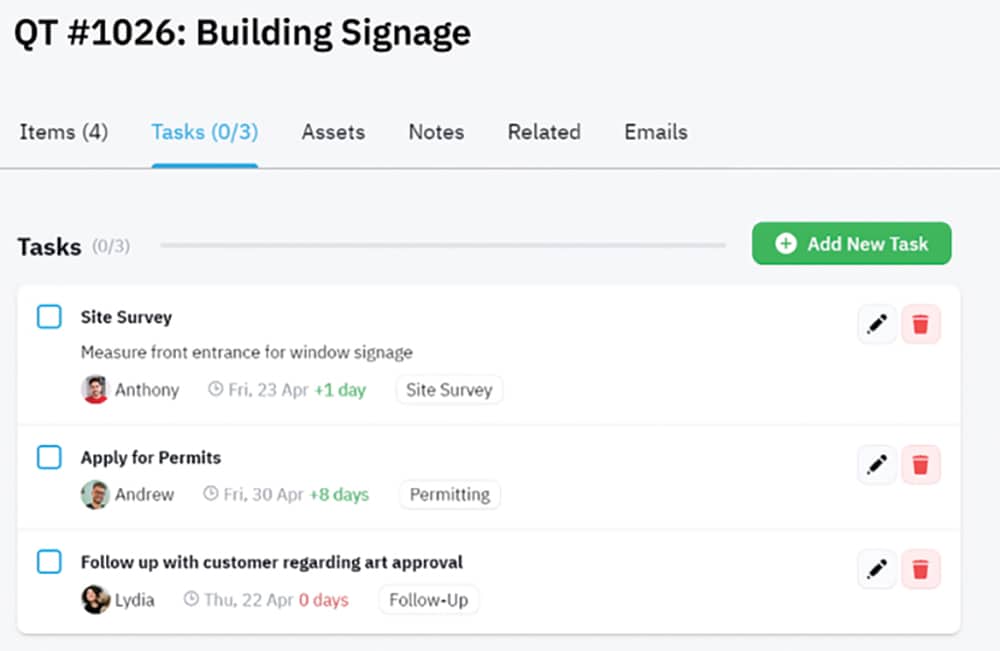
A proper setup should start at the sales cycle, with the salespeople having tools to offer accurate quotes. The quotes draw from standard shop pricing and should be able to estimate material costs, labor and any other fees (e.g., permits). There should also be a means for the customer to view designs and either make changes via notes or approve the job. The job should then get submitted into a queue of pending jobs and scheduled. The shop inventory is checked to ensure the proper supplies are in stock or to flag an exception, letting you know what to get. The job goes from scheduling all the way through production.
If the same person designing is also responsible for printing and finishing, you may rely on them to keep everything straight. If your design team and production staff are separate entities, it makes a lot of sense to implement a workflow solution as well. The designers submit the jobs based on the type of product (UV print, vinyl-cut banner, soft sign, etc.). The workflow software assigns it to the proper queue and keeps track of where it will be printed. The operators can monitor the queue and even the salespeople can see where their jobs are to help keep customers informed. The workflow software may include a job number and possibly a QR code used by any finishing machines to match cut files to the prints. If configured correctly, you should be able to see the status of any customer’s job.
That was a rather simplistic description of how shop management and workflow can work hand in hand to help your shop run efficiently. Obviously it takes more than a money commitment to get a full system implemented. Customer info, product cost, finished pricing, applicable tax rates and in-house inventories have to be entered and maintained for the software to work properly.
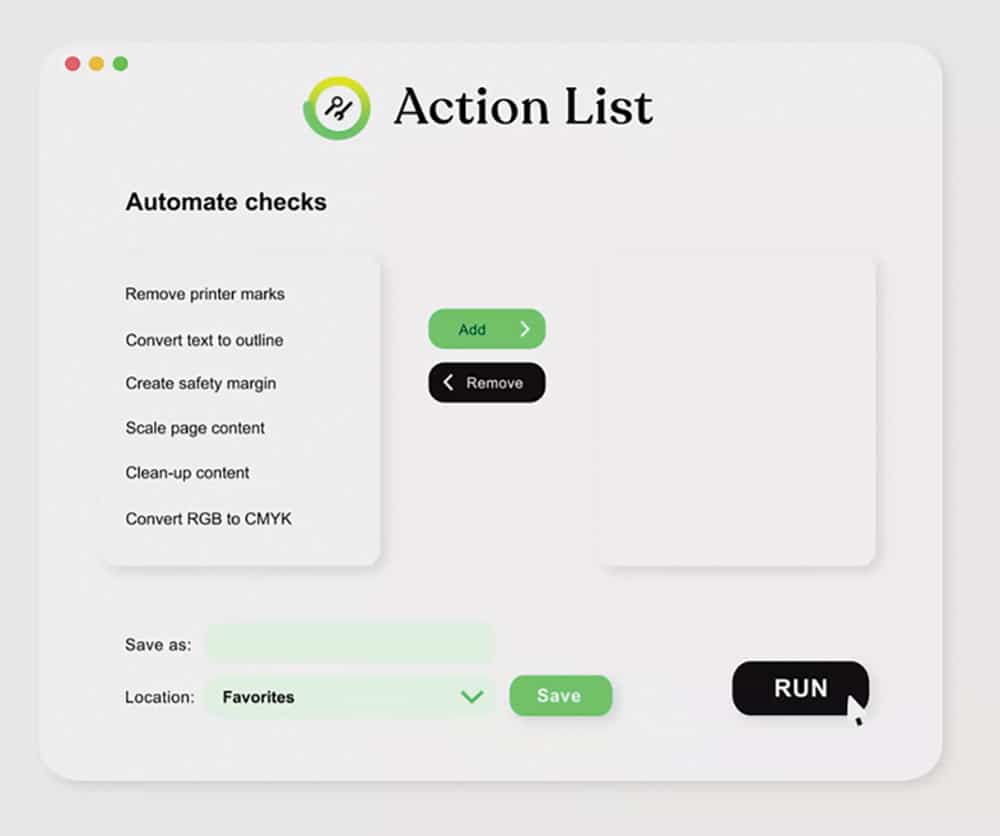
This sounds like a lot of complex software to purchase and it may not seem worth it. Luckily, you don’t have to start with a full-blown implementation. You can initially work on shop management and implement workflow processes as your business grows. You may already have access to some of these capabilities in the design or RIP software you are using. Check to see what’s available.
Now, after all of that discussion, what do you get out of it? The bottom line is efficiency. It’s a terrible feeling to miss a deadline because you were out of yellow ink or glossy vinyl. You may be running your machines inefficiently, and proper scheduling can increase production without added equipment cost. Finally, it’s nice to be able to find a customer’s job in seconds rather than hunt down an old-school “job packet,” wherever it is. If you have a medium to larger shop, you really need shop management and workflow software.
PHOTO GALLERY (6 IMAGES)





Secrets of Lead Generation
Boost your sales by generating more leads! In this light and lively webinar featuring Maggie Harlow, CEO of Signarama Louisville Downtown (Louisville, KY) and the “Business of Signs” columnist for Signs of the Times, learn the secrets of how leads are generated, where they come from and how you can cultivate better (not just more) leads.









Bulletins
Get the most important news and business ideas from Signs of the Times magazine's news bulletin.
-

 Benchmarks2 weeks ago
5 High-Performance Vehicle Graphics Projects
-

 Paul Ingle2 weeks ago
120 Years of Signs, and I’ve Seen 41 (Mostly)
-

 Buzz Session6 days ago
Sign Pros on Bidding Too High and Turning Down Projects
-

 Tip Sheet2 weeks ago
Workflow Automation, Budget Discussion and More Signshop Tips
-

 News1 week ago
PRINTING United Expo 2026 Preview
-

 News2 weeks ago
A Case Study for PopShadow Decals
-
 Signs of the Times1 week ago
August 1936 Signs of the Times Focused on Outdoor Advertising
-

 News5 days ago
Dean Blazek “Follow the Signs” Book Available