
News
Roland Adds New Features to VersaWorks 7
Expanded Connect Designer and ColorMatch create a more connected, streamlined design-to-output workflow.

Roland DG Corp. (Irvine, CA) has announced an enhancement to its software with the expansion of Roland DG Connect Designer and the introduction of ColorMatch, a new feature set within VersaWorks 7. Together, these developments reflect Roland DG’s commitment to creating a more connected, streamlined design-to-output workflow, helping customers move faster from concept to production — according to a press release.
By bringing design, preparation, color control and output closer together, the company aims to reduce complexity across the entire production process and maximize creative freedom and confidence. “With these updates, we are strengthening the role of software at the heart of the Roland DG experience,” Ryugo Nimura, executive officer of Roland DG Global Sales and Marketing Division, is quoted in the press release. “By reducing complexity in areas like artwork preparation and color control, and improving the overall flow between design and output, we are helping customers focus on what matters most: creativity, productivity and growth.”
Roland DG Connect Designer is a simple, integrated workspace that helps users move quickly from concept to ready-to-produce files. Its cloud‑based design and preparation environment gives users a single workspace to create artwork, build templates and prepare layouts for production. Designed to streamline the early stages of print and cut workflows, it enables faster file preparation while automatically generating device‑ready settings optimized for Roland DG output devices.
The latest update introduces the new Object Decoration Module, created to help users design and prepare print-ready graphics for direct-to-object production with greater speed and confidence. By streamlining the repetitive steps that typically slow object personalization down, it makes it easier to position artwork accurately using Position Guides, work efficiently across multiple items and reduce trial-and-error before output so users can move from setup to production with fewer manual adjustments. Major enhancements have been implemented in the Visual Communication Module.
Together, these expand creative and application possibilities for users working across signage, graphics and customized products. An AI Image Generation add‑on is also available, helping users quickly generate creative assets within the same environment. For selected new device purchases, Roland DG Connect Designer is available with three months’ free access, supporting easy onboarding and evaluation.
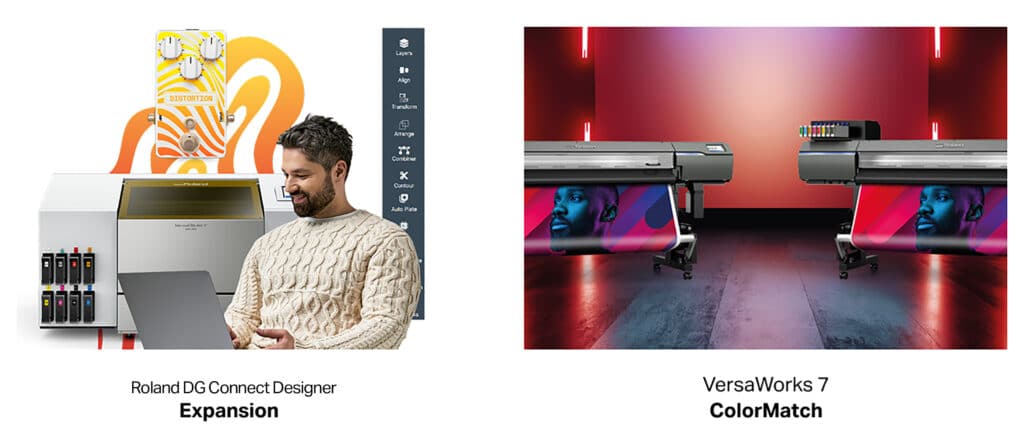
ColorMatch is a new feature set within VersaWorks 7, designed to make high‑quality, consistent and reproducible color results easier to achieve. It simplifies color matching across aging devices, multiple devices of the same model, different Roland DG models, and even between Roland DG and other manufacturers’ devices, helping users maintain visual consistency as their production environments evolve. It also includes a new media profile creation directly within the RIP. VersaWorks’ ColorMatch will be available through both a subscription option and a onetime purchase, giving users flexibility to choose the model that best suits their business needs.
Additional enhancements in VersaWorks 7 include object‑level color control, enhanced variable data printing, and improved bleed and overlap settings. Together, these improvements reduce setup time and reliance on specialist expertise, while delivering professional‑level color accuracy and repeatability.
Roland DG Connect Designer Base is available free of charge to Roland DG users. The new Object Decoration and Visual Communication modules are available on a subscription basis, with eligible new device purchasing including three months free access. The AI Image Generation Add-On is also available as a subscription with a usage limit, and customers can try all features through an in-app promotion offering a set number of free trials.
VersaWorks 7 with ColorMatch is released as a paid add-on, available in subscription or in a one-time purchase model.
For more information on Roland DG Connect Designer, visit rolanddga.com/connect-designer.
For more information on ColorMatch, visit, rolanddga.com/versaworks7.
AdvertisementSecrets of Lead Generation
Boost your sales by generating more leads! In this light and lively webinar featuring Maggie Harlow, CEO of Signarama Louisville Downtown (Louisville, KY) and the “Business of Signs” columnist for Signs of the Times, learn the secrets of how leads are generated, where they come from and how you can cultivate better (not just more) leads.








Bulletins
Get the most important news and business ideas from Signs of the Times magazine's news bulletin.
-

 Women in Signs2 weeks ago
2026 Women in Signs Award Winners Anticipate Change
-

 Heidi Tillmanns1 week ago
Sign Designers Should Plan Like Builders
-
 Jameson Parker2 days ago
Signshop Layout, Part 3
-

 Women in Signs1 week ago
2026 Women in Signs: Lynsey Washington
-

 Women in Signs7 days ago
2026 Women in Signs: Dee Burkhardt
-

 Business Management3 days ago
Sign Company Investments of $10K, $50K and $100K
-

 Women in Signs1 week ago
2026 Women in Signs: Cathie Bozman
-
 Product Buying + Technology2 weeks ago
Work Tables for Signs